
Below, we provide a list of the best SEO modules for PrestaShop, including direct links to the Addons store and describing their functions and what they are used for.

- Advance Search 4: One of the most complete modules for creating product filters. It generates different friendly URLs for each filter, and there is the option to add a description as well as modify the title and meta description of these pages. It allows instant PrestaShop search and can be integrated into different areas of the website, both on the homepage and in categories. It is a must for large stores with more than 5,000 products. Above all, it makes navigation much easier for users. Properly configured, it can do wonders.
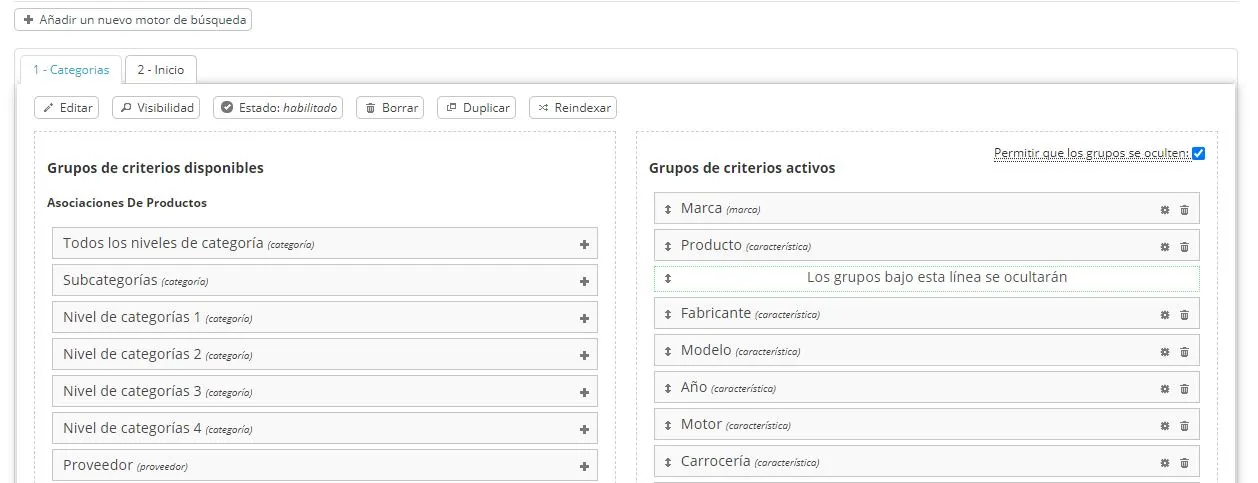
- Noindex,follow: This module implements the option (although we believe it should be integrated into PrestaShop itself) to set product pages, categories, CMS pages, manufacturers, and brands as index/noindex, follow or nofollow.
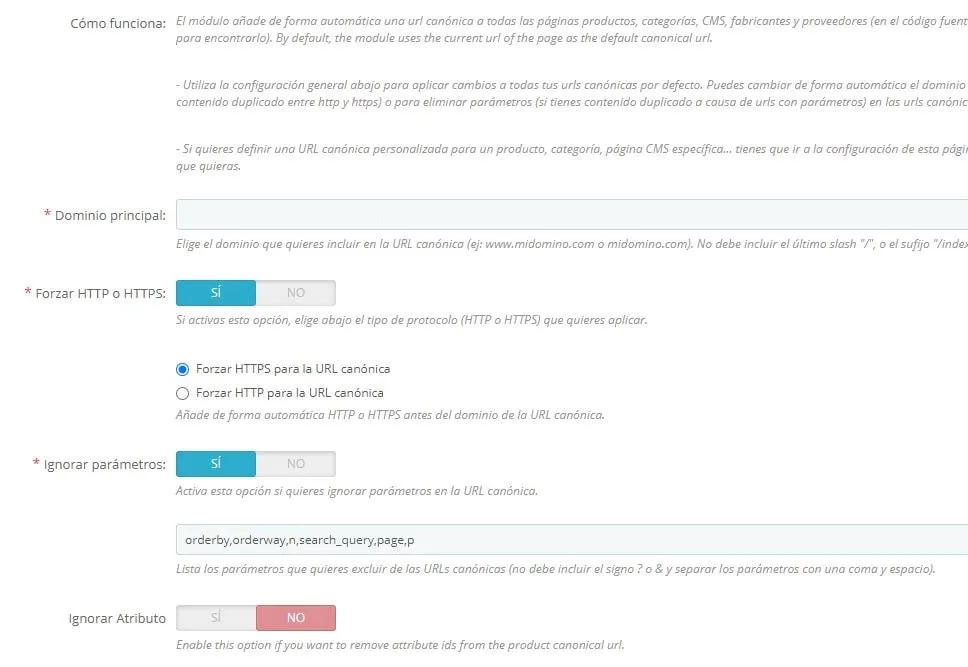
It is very useful when there are categories with few products and no text, which can affect the quality of the website and harm the rest of the site from a rankings perspective. We miss the possibility of automatically setting categories to noindex when certain conditions are met, but otherwise it is a very useful module for certain PrestaShop stores. - Canonical SEO URLs: Another of the most common modules found on websites, especially in stores that have variations of the same product, whether by color, size, dimensions, etc. You need to be careful, because implementing canonicals on certain products or categories may not be in your best interest, and you should always consult the implementation with an SEO specialist or have them handle it directly.
It has the option to create canonicals pointing to products, categories, or a custom URL of your choice. It is quite complete in this regard and is one of the reference modules when addressing this issue.
- Pretty URLs: We enter dangerous territory when talking about this module, whose function is to remove IDs from PrestaShop URLs, both on product pages, categories, and so on. It is true that URLs become cleaner, but in certain cases, when trying to use an external module, there may be incompatibilities or erratic behavior. We personally recommend NOT using this module, although we often find clients who already have it installed and we have to adapt.
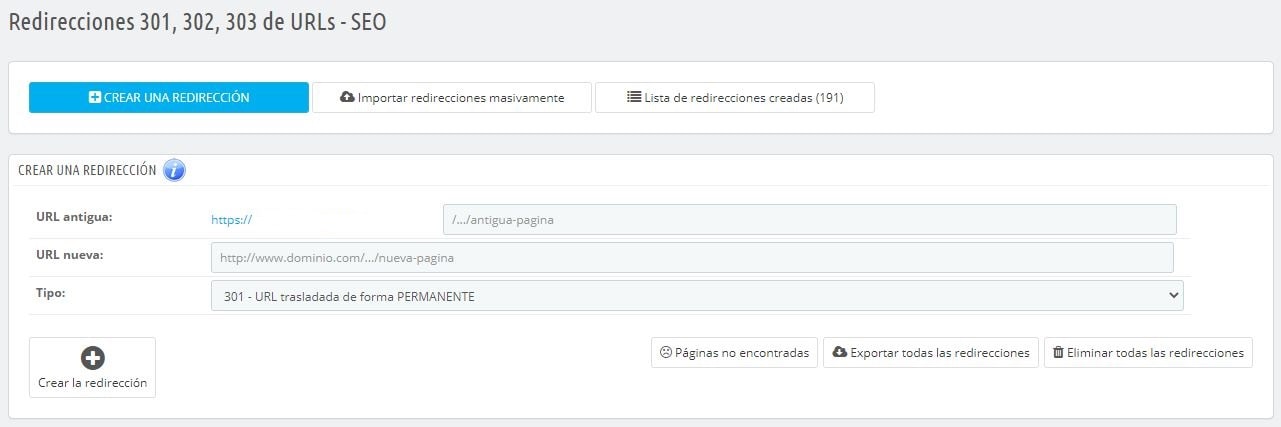
- Redirects Management: In day-to-day work, it is normal to have to make a redirect so you do not lose the rankings of the product or category you are working on. For example, when deactivating or deleting a category that will no longer have products and whose potential traffic you do not want to lose. That is where 301 redirects come into play. Although they are usually managed from the .htaccess file, to make this task easier for less technical users, it can be done from the Linea Grafica module, which allows both store owners and the person responsible for website rankings to manage the necessary redirects.
- SEO Expert: We come to this module, which is one of the most powerful when starting work on an online store that has not yet been handled by an SEO agency or freelancer. It allows you to modify titles and meta descriptions in bulk by adding certain conditions (by category) and certain values such as product title, price, main category, prefix, etc. It also allows you to create custom OpenGraph tags for products, since by default they take the product’s default data. Personally, we think it is overpriced for the “real” usefulness it has, but it is still another option for covering another part of web positioning.
- Winamic Ofuscator: A highly recommended module for large websites with more than 10,000 URLs. It allows link obfuscation for both internal and external links to avoid losing link juice or crawl budget. Links can be obfuscated directly in category and product descriptions, as well as in PrestaShop .tpl files. The developer’s support is excellent and, if any improvement is needed, they will be happy to implement it. It can be very useful when you want to unlink certain sections of the website, such as tags, while keeping their functionality for users.
- CategoryFields: For certain themes and PrestaShop versions, it becomes advisable to add another description to categories. This module allows us to create an additional field so we can place text wherever we want. Generally, the original category description is placed below the products and the CategoryFields field is placed below the H1, so Google sees a brief description with the key terms. This can also help users and make it possible to add filter buttons (using the Advance Search 4 module mentioned above).
You need to add a hook (a piece of code) in the PrestaShop .tpl files, so if you do not have much experience, it may not be the best option. In some themes such as Warehouse, this functionality is already included and this module would not be needed. - SEO by DevBlinders: A very complete and FREE module that is highly reminiscent of the Yoast SEO traffic light in WordPress. It guides you with recommendations to optimize both products and categories based on very well-developed rules from this team of professionals. On their website, you have an explanatory video showing the features it includes. They also have several complementary modules for PrestaShop that make life much easier.
Other useful modules for PrestaShop
We also provide a list of other useful modules for the day-to-day running of your store.
- Product Catalog (CSV, Excel) Import module: For importing/updating products in bulk from CSV or Excel files. Very useful especially for stores with a large volume of products that need to sync with an external ERP or directly make bulk changes to products.
- Doofinder: A very good alternative to PrestaShop’s default search engine. It is one of the most complete and user-friendly search engines on the market. One of the main clients that uses it is PCComponentes, where you can see how it works and how easy it makes product searches for users in your online store. The downside is that its use has a monthly cost based on the search volume you have in the store. Still, if it improves the conversion rate by providing a better user experience, it is worth the investment.
- Thunderfinder: The “free” alternative (no monthly cost) to Doofinder. Very similar from the user side. It also has an instant search function and, from what we have tested, it looks very promising. It is still somewhat immature in some areas, but we see a strong future for it if it continues with the intention of being a one-time payment and keeps implementing improvements and new features. You can try the demo.
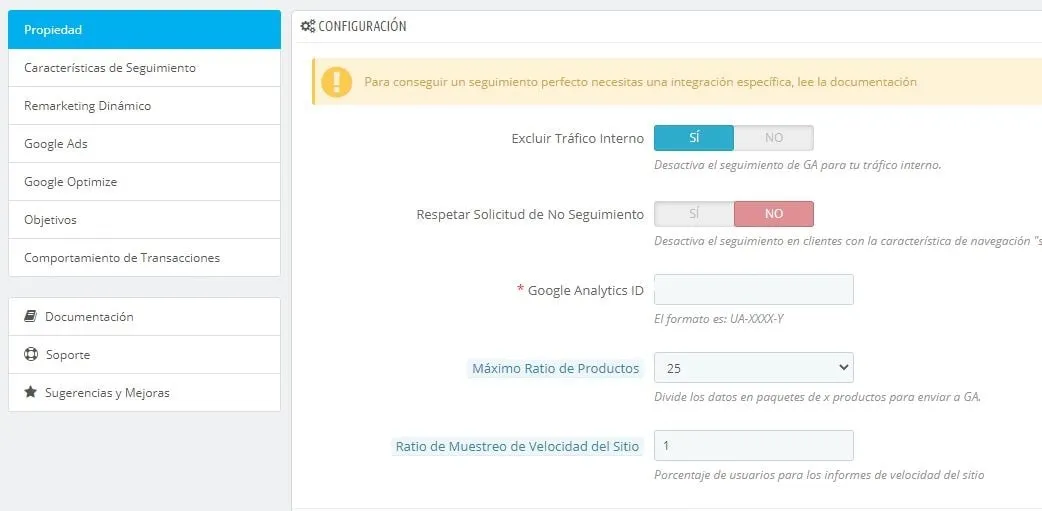
- Premium Google Analytics Enhanced Ecommerce: One of the most complete modules when you want to track visits and sales from your online store in Google Analytics. It offers the possibility of sending sales from the back office if the user has an ad blocker in their browser, which is becoming increasingly common. Depending on the PrestaShop version you use, you may need to modify a .tpl file, but this is explained in great detail in the module’s own documentation. Fortunately, for PrestaShop 1.7 no modification is needed (as long as you do not use combinations; in that case, you do need to modify a file). It also allows integration with Google Ads and the remarketing section.
- WhatsApp Chat: Module that allows customers to contact you through WhatsApp, one of the most common forms of customer service today. It allows fairly extensive configuration with different schedules, URL sharing, and so on. Message, icon, and device customization, plus the option to choose several phone numbers depending on the type of page. Combined with WhatsApp Business, it is one of the most powerful tools for a small store.
- Google Merchant Center: The ideal add-on for generating the data feed for Merchant Center if you want to run SEM for your online store. It allows extensive configuration based on categories, product prices, and so on. It can incorporate a CRON call to automatically regenerate the product catalog.
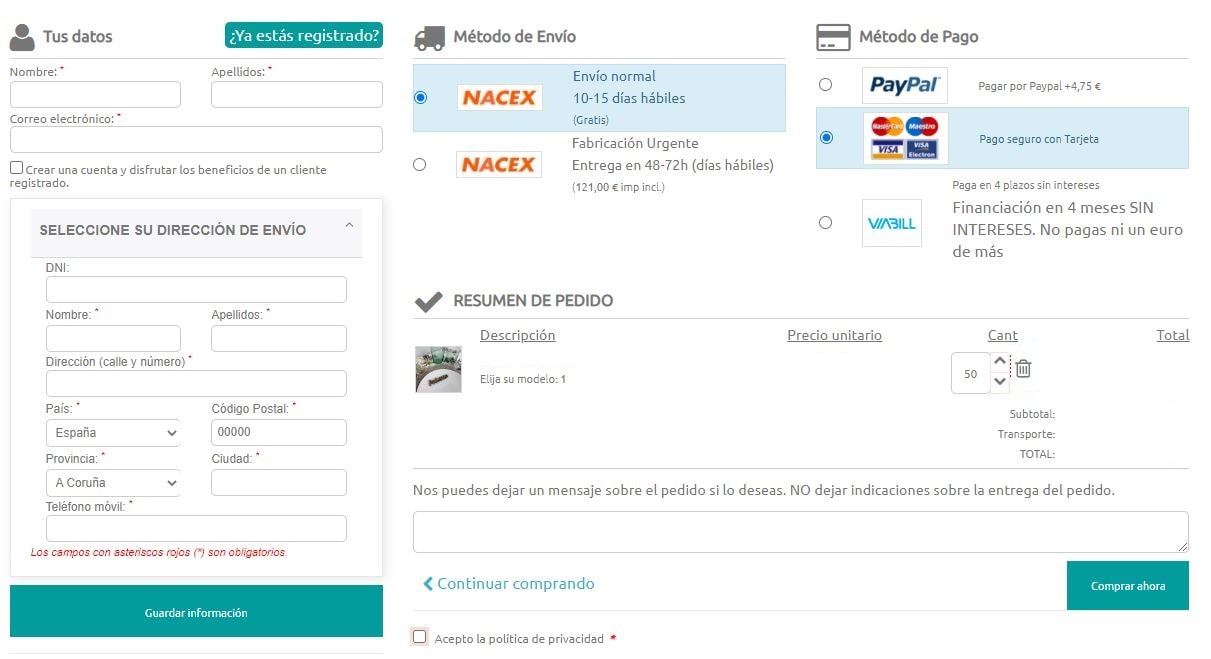
- One Page Checkout: Module to combine all cart steps on a single page, increasing the sales conversion rate and, consequently, the revenue and sales of your online store. It offers many configuration and customization options for the payment process. It is one of the most complete modules in the PrestaShop module store. Integration with all payment methods, account creation, guest orders, the option to customize the cart style, redirect the cart page to checkout, etc.
- Cart Abandonment Pro: A very complete module for trying to recover abandoned carts from potential customers. It considerably increases the cart closing rate. It allows you to create several reminders based on customer profile, hours or days since cart abandonment, discount type, etc. Depending on your ecommerce type, it can be an essential module.
- Estimated Delivery: If you want customers to see the estimated delivery of orders, this module is what you are looking for. It allows the estimated delivery of all products to be configured based on the shipping method. It helps improve the add-to-cart rate on the product page. Very easy to configure.

-
LiteSpeed Cache: An almost essential cache module if you want to improve the speed of your PrestaShop store. Your server also needs to have LiteSpeed technology to use it. It is the “connector” for this type of cache, from which you can configure and clear the cache. It is true that it has nowhere near the configuration options of its WordPress counterpart, but for now we have to adapt to what is available. Recommended (if you have a compatible server). It is recommended to implement LSCrawler alongside it, although this requires slightly more advanced knowledge.
-
Mass Edit: A necessary module if we have an online store in PrestaShop, especially when we have a certain volume of products and want to make bulk changes at the same time. It saves us a huge amount of time (and time is money!) because it allows us to perform combined actions all at once, such as bulk category assignment, price reductions, attribute deletion, and anything else you can think of. It also has filters by name, category, etc.
-
NTBackup: One of the most powerful modules for backups and migrations. Although PrestaShop natively allows you to make a database backup, it does not allow you to back up files, which this module does. It also compresses them into .rar files and creates an installer in a single file. It is not a module you normally have to use often, since the hosting where your website is hosted should handle backups, but it would not be the first website we see where the hosting has no backups and then everyone panics. It is not a bad idea to make a copy every week (or depending on the workload/sales of the store itself) to avoid bigger problems.
-
Redsys: This Idnovate module adds many features to the official module of this payment platform. It allows you to make refunds manually and add more than one payment gateway if necessary. You can also see the full list of transactions from there without having to enter your bank’s platform.
-
Redsys insite: The perfect complement to the One Page Checkout module, because it allows card details to be entered on the same checkout page, reducing the purchase steps even further and speeding up the process, which leads to an increase in the conversion rate. This module is also developed by Idnovate and the support offered by this agency is excellent. They are always watching for possible improvements to add.
-
3x2 Promotions and Discounts: If you want to run offers or sales in your online store, look no further: this is the definitive module for creating discounts on products, categories, etc. Very complete and powerful, it allows you to create discounts by quantity, by category, activate or deactivate promotions, set the promotion date, give priority between different offers, set conditions by price, total cart amount, user registration date, day of the week, text string in the URL (to offer discounts to visitors from Google Ads and improve conversion), and many more options. It is a must-have in your store.
-
PayPal with surcharge: As you will know if you have an online store, PayPal is one of the best-known payment platforms on the Internet, and also one of the most widely used. Unlike Redsys, it has higher fees that are charged to the seller. If you want to pass those costs on to the buyer, you can purchase this module, which adds the commission price to the buyer during the purchase process.
-
Shipping by postal code: Give a boost to PrestaShop’s feature for charging shipping by zones and organize it now by postal codes. Carriers charge shipping by postal codes, and it cannot always be configured natively in PrestaShop, so this module will be very useful depending on the needs of your online store.


