
Technical SEO is a core part of search engine optimization that often goes unnoticed, but without it, even the best content cannot shine. In this post, we explain what it is, why it matters so much, and which key tasks you should consider so your website is truly optimized from the inside.
Why talk about technical SEO?
When people talk about SEO or look for an SEO agency, the first things that usually come to mind are keywords, quality content, or backlinks. But there is an equally important and often ignored layer that supports all of that from behind: technical SEO.
Talking about technical SEO is essential because without a solid foundation, no content effort or link strategy will perform at its best. If search engines cannot crawl, understand, or index your site correctly, you are missing ranking opportunities.
At SeDigital, we are going to take a deeper look at what technical SEO is, why it is so important for your website’s performance, and which specific tasks you should review to make sure everything works as it should.
What is Technical SEO?
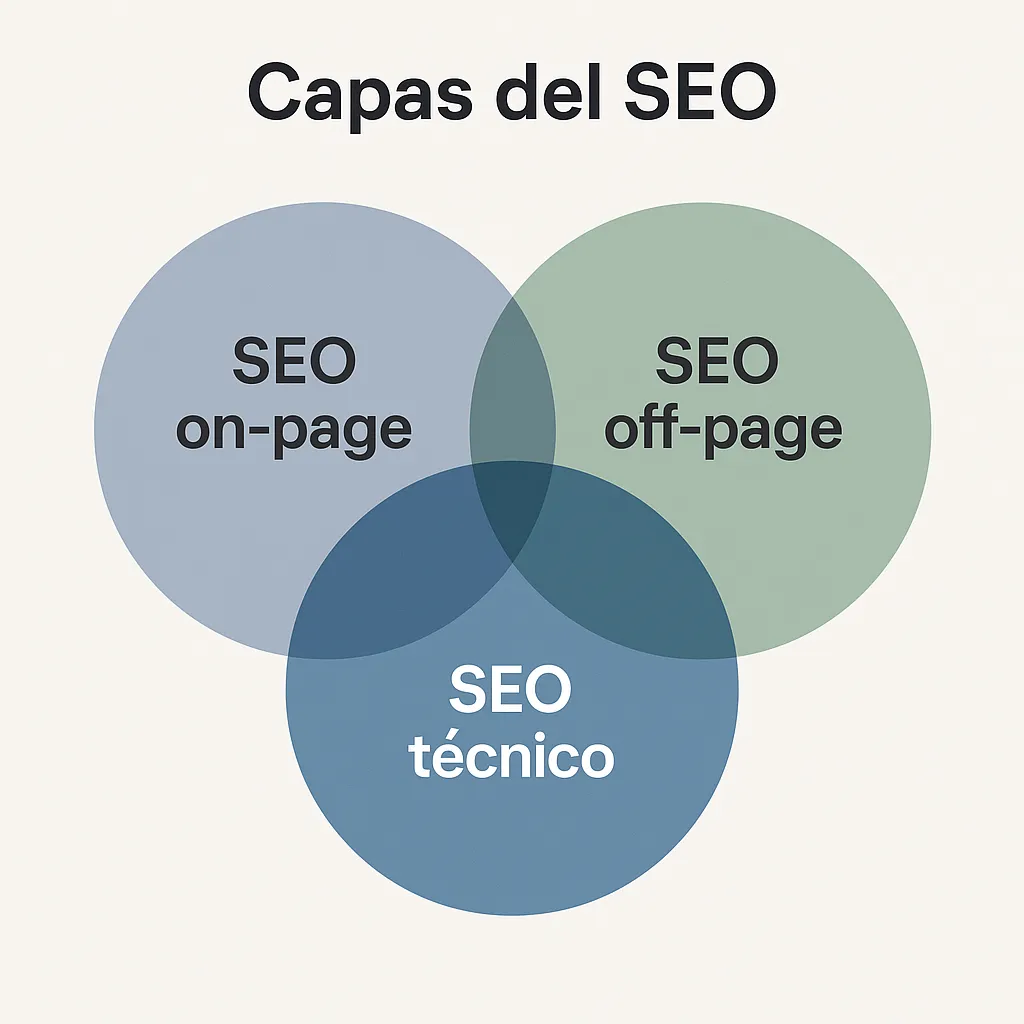
Technical SEO is the set of optimizations applied to the structure and operation of a website to make search engines’ work easier. Unlike on-page SEO, which focuses on content and keywords, or off-page SEO, which works on external links and authority, or Local SEO, technical SEO ensures the whole site is properly configured to be crawled, interpreted, and indexed by Google.
Its main objective is to make sure search engines can access all relevant pages without problems, understand the site’s hierarchy, and offer a smooth and fast user experience. This includes aspects such as loading speed, HTTPS usage, correct tag implementation, mobile optimization, and many others.
Good technical SEO not only improves rankings, it also has a direct impact on user experience: a fast, secure, easy-to-navigate website converts better.
Main technical SEO tasks
Technical SEO covers a series of tasks that, although not always visible to the end user, have a direct impact on a website’s performance and visibility. Below, we share the main areas that should be worked on within a technical SEO strategy, along with specific examples that will help you better understand their importance.
Loading speed (PageSpeed)
A website’s loading speed is a key factor for both SEO and user experience. Google gives preference to sites that load quickly, especially on mobile devices. If a page takes too long, users tend to leave before it finishes loading.
Example: Imagine your page takes 6 seconds to load because the images are not optimized. Just by compressing them correctly or using lighter formats such as WebP, you could reduce that time to under 2 seconds, improving both rankings and the browsing experience.
Site architecture and internal linking
A well-organized website architecture helps search engines understand your site’s hierarchy and helps users find what they are looking for more easily. Internal linking, meanwhile, distributes authority between pages and improves indexing.
Example: Suppose you have an online store and have created a new product category. If you do not link that category from the main menu or from other related pages, Google may take a long time to discover it, or may not discover it at all. With a clear structure and strategic internal links, you improve the visibility and SEO of the whole site.

Indexing and crawling
For a page to appear in Google results, it first has to be crawled by bots and then indexed. If there are errors in this part of the process, the content may remain hidden from search engines, no matter how good it is.
Example: you have accidentally blocked access to certain pages from the robots.txt file or added a noindex tag to an important section. Even if that section is published and well optimized, Google will not be able to include it in its index and, therefore, will not be able to rank it. Reviewing crawl and indexing settings is essential in any technical audit.
404 errors and 301 redirects
404 errors occur when a page no longer exists or the URL has changed without being redirected correctly. This creates a poor user experience and can cause SEO authority to be lost. 301 redirects solve this problem by guiding Google and the user to the new URL.
Example: Suppose you deleted an old services page and now users who arrive from Google find a 404 error. If instead you set up a 301 redirect to a related current page, you will keep the traffic, improve the experience, and preserve part of the SEO value of the original URL.
Correct use of tags
Technical SEO also deals with correctly managing tags such as
Example: Imagine you have two URLs with very similar content and do not use the
Security (HTTPS)
Having a website with HTTPS is not only a security matter, but also a ranking factor. Google gives preference to secure sites and, in addition, browsers display warnings when a site does not use an SSL certificate, which can create distrust among users.
Example: Suppose your website still runs on HTTP. When users enter, the browser displays a “not secure” warning, which may make them leave before interacting. By installing an SSL certificate and moving to HTTPS, you provide an encrypted connection, improve visitor trust, and gain points for technical SEO.
What is a technical SEO audit and how is it done?
A technical SEO audit is an in-depth analysis of the technical state of a website with the aim of identifying errors or aspects that may be negatively affecting its search engine rankings. Unlike other audits focused on content or backlinks, this one focuses on how the site is built and configured internally.
In other words, it is like a “technical inspection” of your website to make sure Google can correctly crawl, understand, and index each page.
Useful tools for a technical audit
To carry out a technical SEO audit, it is essential to have specialized tools that help detect problems quickly and accurately. Some of the most commonly used are:
- Google Search Console: Ideal for seeing how Google interprets your site, which pages are indexed, and whether there are crawl errors, mobile usability issues, or coverage problems.
- Screaming Frog: A very powerful crawler that simulates how Google crawls your website. It allows you to analyze redirects, tags, URL structure, load times, broken links, and more.
- Ahrefs or SEMrush: Although they are often associated with backlinks and content, they also offer technical diagnostics such as speed, indexing problems, duplicate tags, and general errors.
- PageSpeed Insights and Lighthouse: Google tools focused on measuring performance and user experience.
Basic steps for performing a technical SEO audit
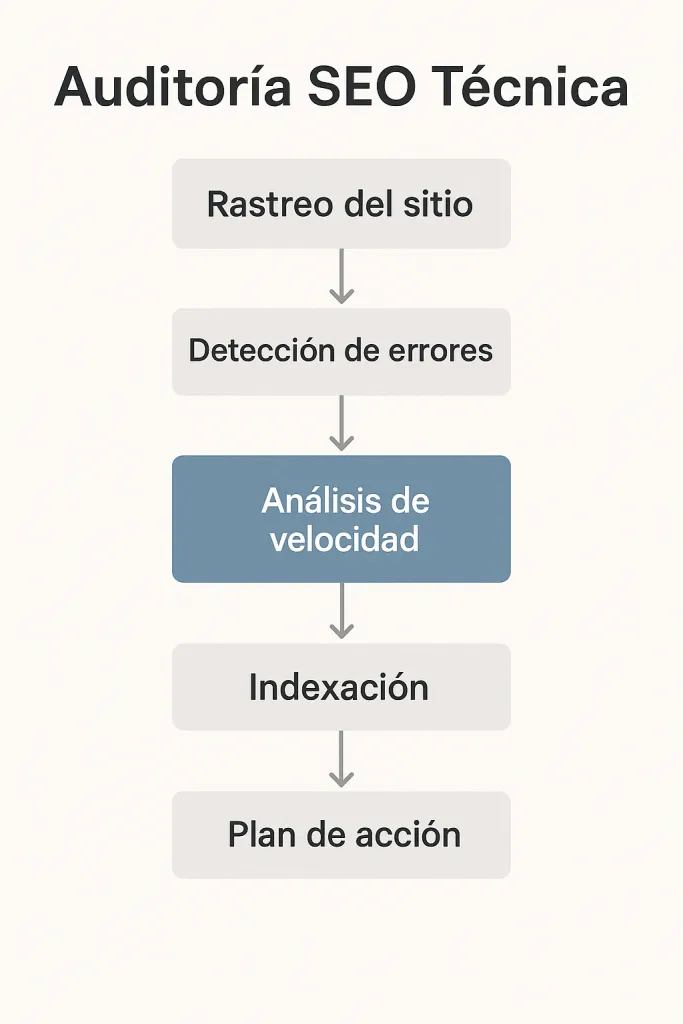
- Review the robots.txt and sitemap.xml files: Make sure the robots.txt file is not blocking important content and that the sitemap is up to date and correctly submitted to Search Console.
- Analyze crawling and indexing: Check how many pages are being crawled and indexed. Detect possible orphan pages (without internal links) or indexed pages that should not be indexed.
- Identify 404 errors and poorly implemented redirects: Locate broken links, temporary redirects (302) where permanent ones (301) should be used, or unnecessary redirect chains.
- Check loading speed and Core Web Vitals: Evaluate loading performance on mobile and desktop. If there are problems with interaction times or visual loading, it is important to act as soon as possible.
- Review technical tags: Analyze whether pages have tags such as title, meta description, canonical, and hreflang properly implemented, and whether there is duplicate content.
- Evaluate structure and internal linking: Check whether the site architecture allows smooth navigation for both users and search engines. Review click depth, hierarchies, and internal links.
- Adaptation to mobile devices and HTTPS usage: Make sure the website is optimized for mobile (mobile-first) and that the entire site uses HTTPS correctly.
What types of errors does a technical audit usually reveal?
- Pages accidentally blocked by robots.txt
- URLs that are not indexed but should be
- Duplicate content without canonical tags
- Broken or poorly structured internal links
- Incorrect redirects
- Images that are too heavy or missing alt attributes
- Lack of structured data
- Mobile compatibility issues
- Loading failures that affect Core Web Vitals
How to prioritize problems detected in Technical SEO
Once identified, errors should be classified according to their impact on SEO and user experience. For example:
- High priority: errors that prevent indexing, poorly implemented redirects, slow or unsafe pages.
- Medium priority: duplication problems, misconfigured tags, broken links.
- Low priority: small performance optimizations or aesthetic recommendations.
A well-executed technical audit does not just detect problems; it lays out a clear and prioritized action plan. At SeDigital, we recommend carrying out this type of review at least once per quarter or whenever major changes are made to the website.
Benefits of good technical SEO
Having well-executed technical SEO is not just about meeting Google’s requirements, but a real investment in your website’s long-term performance and health. These are some of the main benefits it provides:
Better search engine rankings
When Google can crawl and index your website without obstacles, you have a better chance of appearing in the top results. Aspects such as loading speed, correct URL structure, and HTTPS usage also directly influence rankings.
Better user experience
A technically optimized site loads faster, adapts to any device, and allows smooth navigation. All this makes users stay longer, explore more content, and ultimately convert better.
Greater visibility for all your pages
With good architecture and an internal linking strategy, you make sure not only your homepage ranks, but also categories, products, blog articles, and more.
Security and trust
The use of HTTPS and proper technical configuration convey trust to users. Nobody wants to interact with a website that the browser marks as “not secure”.
Clearer decision-making
A technical audit gives you a complete picture of your site’s condition. Knowing what is failing and what can be improved helps you plan specific actions with measurable results.
Prepared for the future
Technical SEO also protects you from possible penalties and ensures your website is adapted to current and future search engine standards.
When the technical side works well, everything else, content, authority, and strategy, performs much better. In the end, that shows in traffic, conversions, and results.
Need help with your technical SEO? SeDigital can help
At SeDigital, we know technical SEO can seem complex, but we also know how important it is for a website to work properly and rank as it should. A well-built technical foundation makes a difference: it improves speed, visibility, security, and user experience.
If you are not sure whether your website is properly optimized, or if you have already detected technical errors but do not know where to start, we can help. At our agency, we carry out complete technical SEO audits, adapted to each type of project and with a clear action plan.
- We detect the errors that are holding back your rankings.
- We propose tailored solutions.
- And we support you throughout the process so your website performs at its best.
Whether you have an online store, a corporate website, or a professional blog, our technical SEO team in Madrid can help you improve your site’s technical performance and climb positions in Google.
Shall we talk? Write to us and we will tell you how we can get started.


